
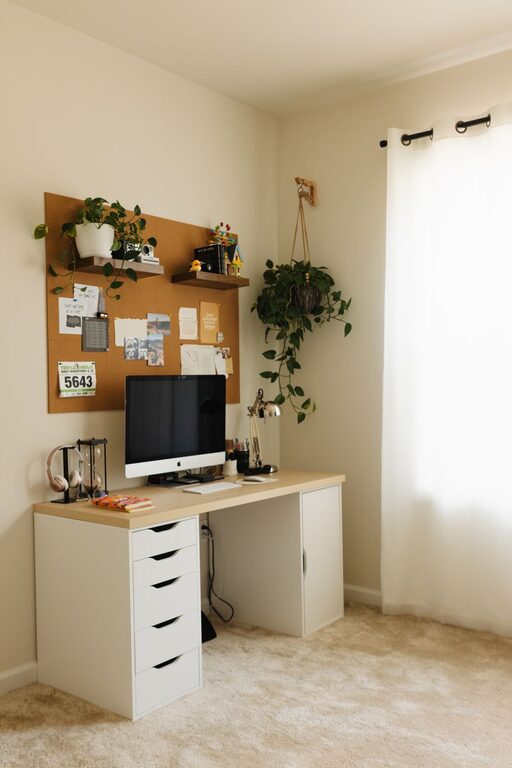
Creating a cozy and functional home workspace is more important than ever as many people spend a significant amount of time working from home. A well-designed workspace can improve your focus, boost productivity, and make your workday more enjoyable. Whether you’re setting up a new area or upgrading your current home office, these tips will help you create a space that balances comfort and functionality.
Choose the Right Location
Consider Natural Light
Natural light positively affects mood and energy levels. Try to set up your workspace near a window to take advantage of daylight. Position your desk so that the sunlight doesn’t cause glare on your computer screen, which can strain your eyes.
Minimize Distractions
Select a quiet space where you can focus without frequent interruptions. If possible, use a room with a door or create boundaries with screens or furniture to separate your workspace from the rest of your home.
Invest in Comfortable and Supportive Furniture
Ergonomic Chair
Spending long hours sitting requires a chair that supports your posture. Look for an ergonomic chair with adjustable height, lumbar support, and comfortable cushioning.
Desk Height and Size
Your desk should be at a height where your forearms are parallel to the floor when typing. Ensure the desk surface is large enough to hold your computer, notebooks, and any other essential tools.
Add a Footrest
If your feet don’t comfortably reach the floor, consider using a footrest to reduce pressure on your legs and improve circulation.
Optimize Organization and Storage
Use Vertical Space
Shelves on walls can help keep your desk clear by holding books, files, and decorative items. They also add visual interest.
Desk Organizers
Invest in trays, drawers, or containers to keep pens, paper, and accessories tidy and easy to find.
Cable Management
Use clips, sleeves, or ties to organize cords and prevent them from tangling. A clutter-free desk helps reduce distractions.
Bring in Cozy Elements
Soft Textiles
Add a plush rug, comfortable cushions, or a cozy throw blanket to make your workspace feel inviting.
Plants
Indoor plants add life and purify the air. Choose low-maintenance varieties such as succulents, snake plants, or pothos to brighten up your desk or nearby shelves.
Warm Lighting
Use adjustable desk lamps or string lights with warm bulbs to create a relaxing ambiance. Avoid harsh overhead lighting.
Personalize Your Space
Artwork and Photos
Display a few favorite prints, photos, or inspirational quotes to boost motivation and make the space uniquely yours.
Color Palette
Choose calming colors like soft blues, greens, or neutrals that promote concentration and reduce stress.
Scents
Consider a subtle diffuser with essential oils like lavender or peppermint to help improve focus and relaxation.
Incorporate Technology Thoughtfully
Quality Monitor and Accessories
Invest in a good monitor with the appropriate size and resolution for your tasks. Pair with a comfortable keyboard and mouse.
Headphones
Noise-canceling headphones can block out distractions and help you concentrate during calls or intensive work.
Charging Station
Set up a convenient charging area for your phone, tablet, and other devices to avoid clutter.
Create Boundaries for Work-Life Balance
Designate Work Hours
Use your workspace strictly for work during set hours to maintain a healthy separation between work time and relaxation.
End-of-Day Routine
Organize your desk and turn off work-related devices at the end of your workday to signal that it’s time to unwind.
Take Breaks
Ensure your workspace allows for quick breaks. A nearby comfortable chair or a window view can give your eyes and mind a needed rest.
—
Creating a cozy and functional home workspace doesn’t require a complete overhaul. Small, purposeful changes can make a big difference in how enjoyable and productive your work-from-home experience is. Start with the basics of comfort and organization, then add personal touches to make your space feel truly yours.